
Mobile app · Free

Your research lab, in your pocket

Meetings, tasks, weekly updates, lab chat and AI tools for students and supervisors. One account with the website, so everything stays in step.

Android 7.0 or newer · iPhone with iOS 16.4 or newer · No App Store needed

Android

App file · about 55 MB · Android 7.0 or newer

  1. Tap Download for Android on your phone.
  2. Open the file and tap Install. If asked, allow installs from your browser, then Install anyway.
  3. Open ScholarLabs AI and sign in with your account.

QR code for the Android app
Scan with your phone
Download for Android

Had the first version from before 15 November 2026? Uninstall it first. Link: scholarlabs.ai/android/apk

iPhone

Web app · nothing to download · iOS 16.4 or newer

  1. Tap Open on iPhone. It must open in Safari.
  2. Tap Share, then Add to Home Screen, then Add.
  3. Open it from the new icon, sign in, and tap the bell to turn on notifications.
QR code for the iPhone web app
Scan with your phone
Open on iPhone

Updates arrive by themselves. Link: app.scholarlabs.ai/iphone/web-app

What you can do in the app

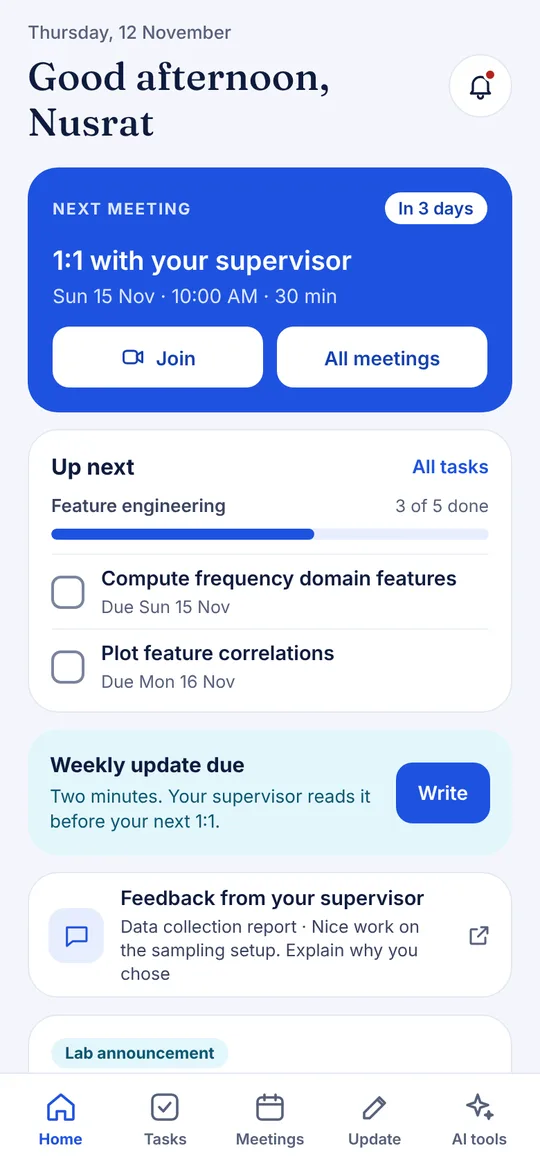
Meetings

Your next meeting and a Join button, with a reminder 15 minutes before.

Tasks and progress

Tick tasks off, watch each milestone fill up, keep your update streak.

Say your weekly update

Talk for a minute. The app writes it up for you to check and post.

Lab chat

The lab channel and messages with your supervisor, same as the website.

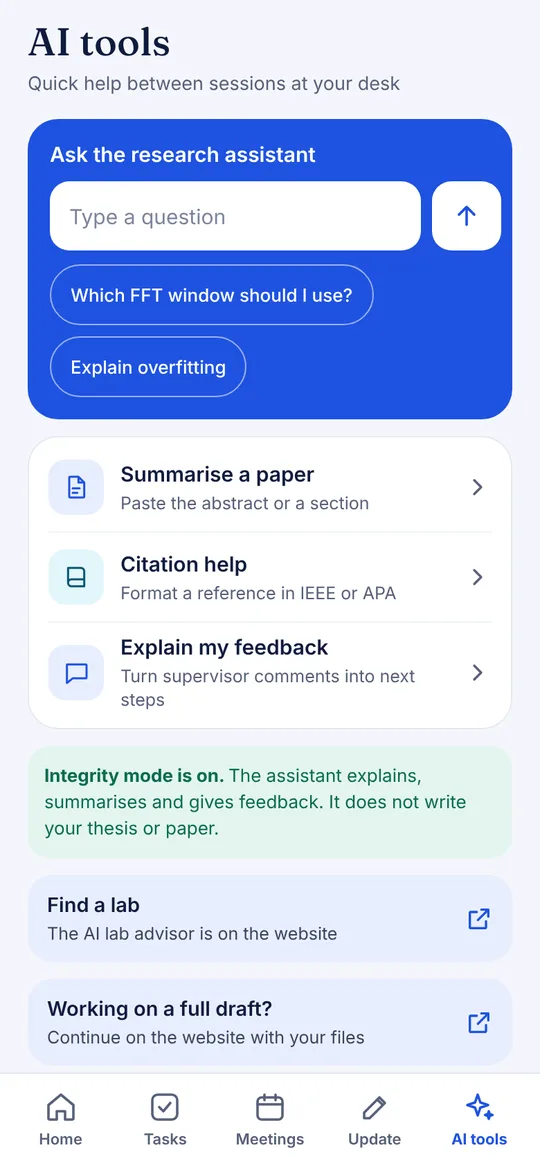
AI research tools

Ask, summarise a paper, format citations, snap notes into tasks. Integrity mode on.

Focus and reading

A focus timer that logs deep work, and a reading list with AI summaries.

Also dark mode, works offline, meetings in your phone calendar and an Android home screen widget. Heavy work like uploading drafts and payments stays on the website.

Need a hand?

The full setup guide covers every step, first time setup and common questions.